The services that make my homelab useful
A homelab is much more interesting when it starts doing things I care about. Getting a container to run is fun, but having my photos organized or a task written down somewhere I’ll find it gives the project a reason to exist.
I’ve been building out a collection of services for that purpose. Some are already useful; others are recent additions that I’m still getting set up. This is a tour of what I’m running, focusing on the software I interact with and the supporting services that keep it going.
Photos and personal records
Immich
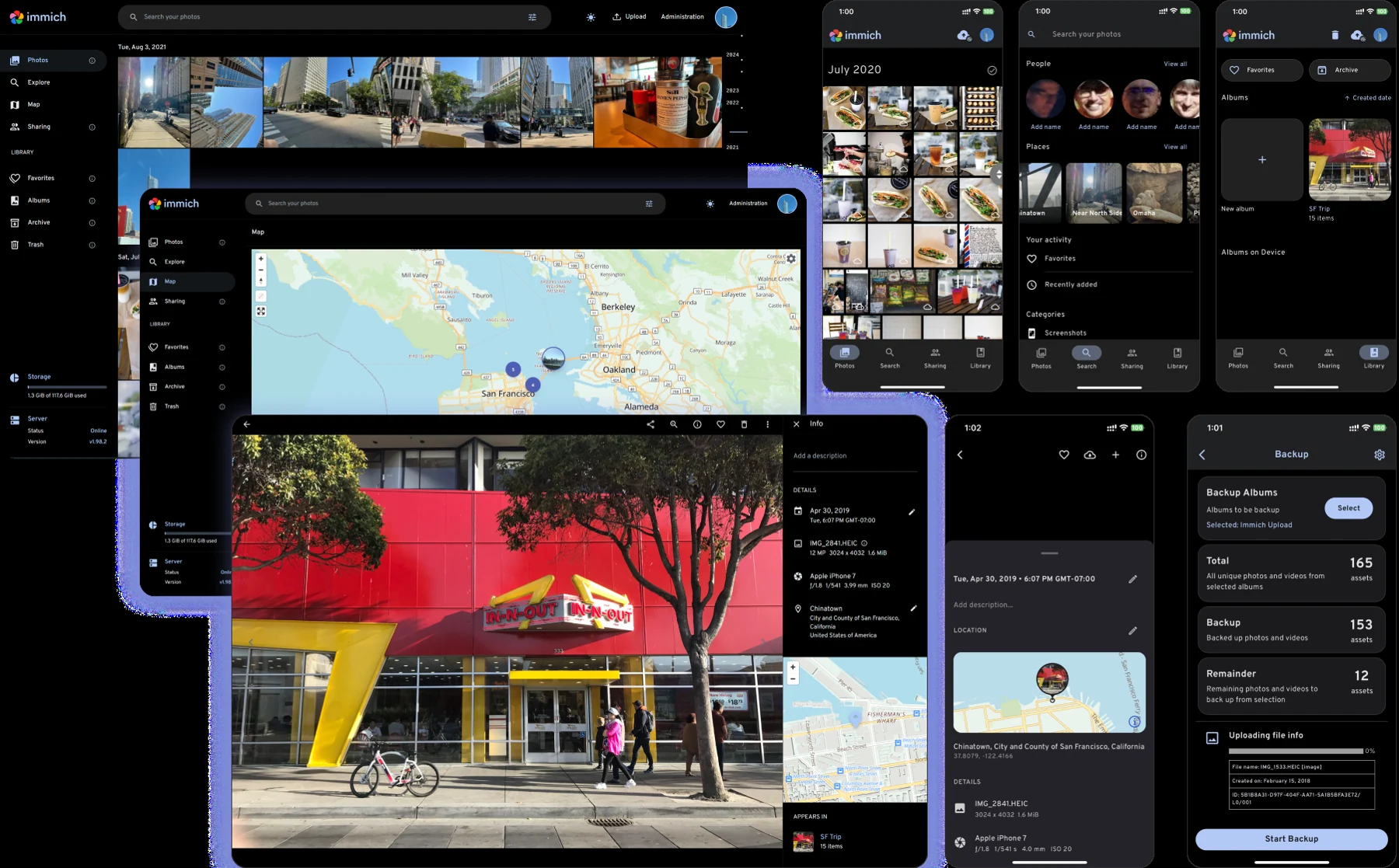
Immich is my photo and video library. It gives me a familiar way to browse pictures by date, organize albums, and find people in a collection that would be awkward to manage as folders alone. Its machine-learning service supports features such as face recognition and semantic search.
The benefit is being able to enjoy the collection, rather than just store it. I’ve been bringing older photo archives into the library, which also makes this a useful excuse to get my personal data organized. Running the library myself gives me control over where the originals live, along with responsibility for protecting them.
Paperless-ngx
Paperless-ngx is a recent addition for managing documents. It can ingest files, organize them with metadata and tags, and use OCR to make scanned text searchable. The appeal is simple: I want finding a document to mean searching for it, not remembering which folder I put it in.
I’ve deployed it and tested basic ingestion. I’m still at the beginning of building the archive, so I can’t claim it has already eliminated a mountain of paperwork. It gives me somewhere to start putting that paperwork in order.
Reading, listening, and watching
Plex and Wizarr
Plex turns a media collection into something I can browse and play on different devices. It handles the library presentation and playback, including hardware-accelerated transcoding when a device needs a different format. That makes the server useful from the couch, rather than only from a file browser.
Wizarr handles invitations and onboarding for Plex. Its job is narrower, but worthwhile: an invitation flow is easier than walking someone through the same setup steps each time I share access.
Audiobookshelf
Audiobookshelf is a dedicated home for audiobooks, with library browsing and listening-progress tracking. Having software built around listening makes more sense to me than treating an audiobook as an assortment of unrelated audio files. It gives the collection a usable interface and a way to return to where I left off.
Calibre-Web
Calibre-Web puts a browser interface in front of my ebook library. It also supports the Kobo synchronization I use, so the library can reach the device I want to read on. I like that the books remain a collection I manage while the reading experience doesn’t require me to manually shuffle every file.
Komga
Komga handles comics and other illustrated reading material. Its library organization and web reader suit that format better than a general-purpose file share. Keeping it separate from the ebook tools gives each kind of reading an interface that fits it.
Redlib and iSponsorBlockTV
Redlib is an alternative, read-focused frontend for Reddit. I run it because I want a lighter way to read discussions without making the full Reddit interface the default experience. It still depends on Reddit for the underlying content; self-hosting the frontend doesn’t make that content independent.
iSponsorBlockTV works with supported TV YouTube clients to skip segments identified by the SponsorBlock community. It’s a small convenience service aimed at reducing interruptions while watching. It doesn’t host videos or replace YouTube.
Keeping track of everyday things
Vikunja
Vikunja is my task manager. Projects, due dates, and reminders give follow-up work a place to live outside my head or a chat history. That matters for the homelab itself: an improvement I can’t do today can become an actionable task instead of disappearing after the conversation that identified it.
It also works with my assistant, which helps keep the task list connected to the work that produces it. I want to know what still needs doing without maintaining a second list somewhere else.
Grocy
Grocy covers household inventory and shopping lists. The shopping-list side is especially useful because it gives me a shared record of what needs buying, rather than another scrap of information to remember. The inventory features provide a way to build toward a clearer picture of what is already in the house.
Actual Budget
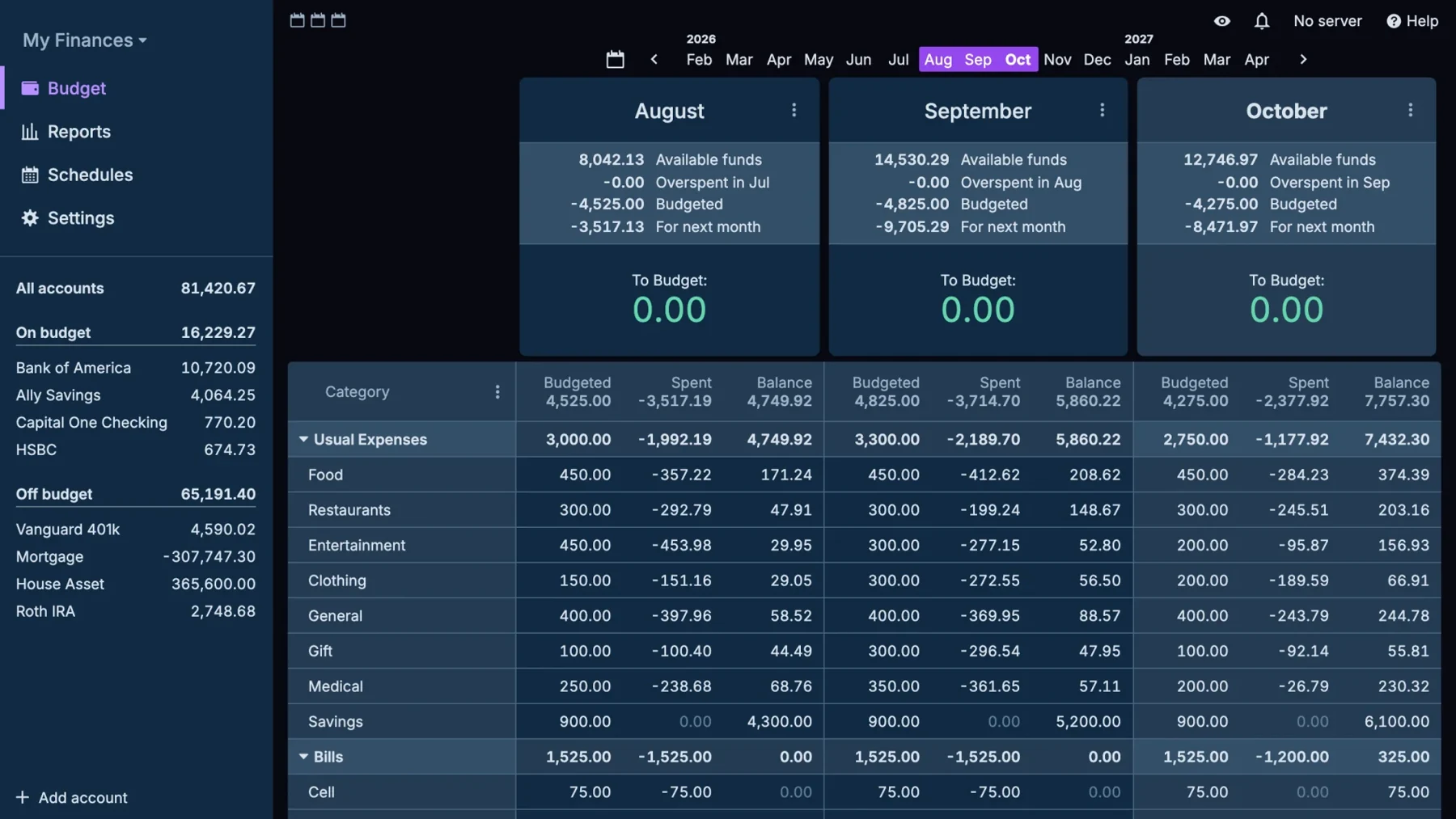
Actual Budget is the budgeting application in the lab. It provides a place to organize accounts, transactions, and spending plans while keeping the service under my control. The value for me is having a dedicated tool for thinking about money, separate from the bank’s view of individual transactions. Running it doesn’t automate financial decisions; it gives me a place to make them deliberately.
Trilium
Trilium is my newest addition for notes and personal reference. Its hierarchical notes and links are a good fit for material I want to organize and come back to later. I’ve deployed it, but I’m still getting started with it. The intended role is different from Vikunja: tasks belong on the task board, while explanations and reference material need somewhere they can grow without becoming an oversized task description.
The house and the assistant
Home Assistant
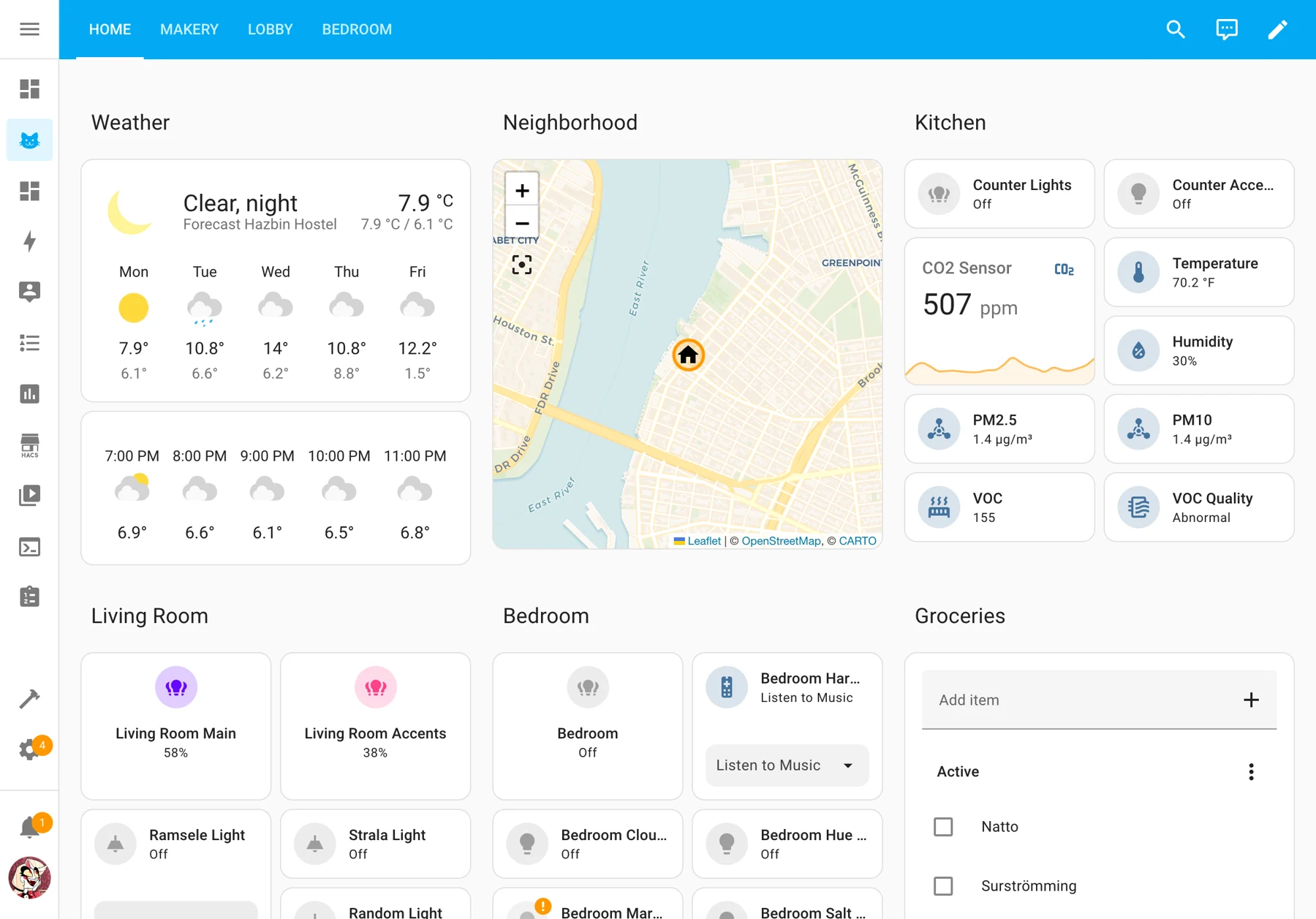
Home Assistant brings home automation into a system I can manage. It connects supported devices and gives me a place to build controls and automations across them. That is more appealing than treating every smart device as a separate app with its own isolated view of the house.
It runs on its own dedicated hardware. I like giving home automation a home of its own while I experiment with the rest of the lab.
Hermes Agent
Hermes is the AI assistant I run locally as a service. It helps me administer the lab, work through technical problems, and turn follow-up work into tasks. Scheduled checks and reports can reach me through Telegram, so useful information doesn’t depend on my remembering to open a dashboard.
The agent software runs on my hardware; that doesn’t mean every language model it uses runs locally. For me, the benefit is an assistant that can work with my tools and documented environment, with approval gates for consequential actions. I still need to check its work.
The services behind the services
Homepage is the dashboard that gives this collection a front door. It brings links and status information together, which saves me from remembering a growing set of bookmarks. A read-only Docker socket proxy supplies container information without giving the dashboard a general-purpose write interface to Docker.
Pocket ID provides passkey-based identity for private services through the access layer. Cloudflared supplies tunnel connections for remote access, while WireGuard provides a private VPN connection to the home network. These aren’t applications I spend much time looking at, but they make the applications easier to reach and sign in to. The access policy still needs to be chosen for each service and its clients.
PostgreSQL stores application data for Immich and Paperless-ngx. Valkey provides their Redis-compatible caching and queue services, while Immich’s separate machine-learning worker does the image-analysis work. Grouping these under their applications makes more sense than pretending every supporting container is another product I use directly.
The Synology NAS supplies shared storage, including SMB file access and NFS mounts for services that need them. Restic backs up selected host and application data, and health checks watch for failures and send alerts. Those pieces reduce the amount I have to check manually, although a running backup service is not proof that everything is covered or recoverable.
The services map
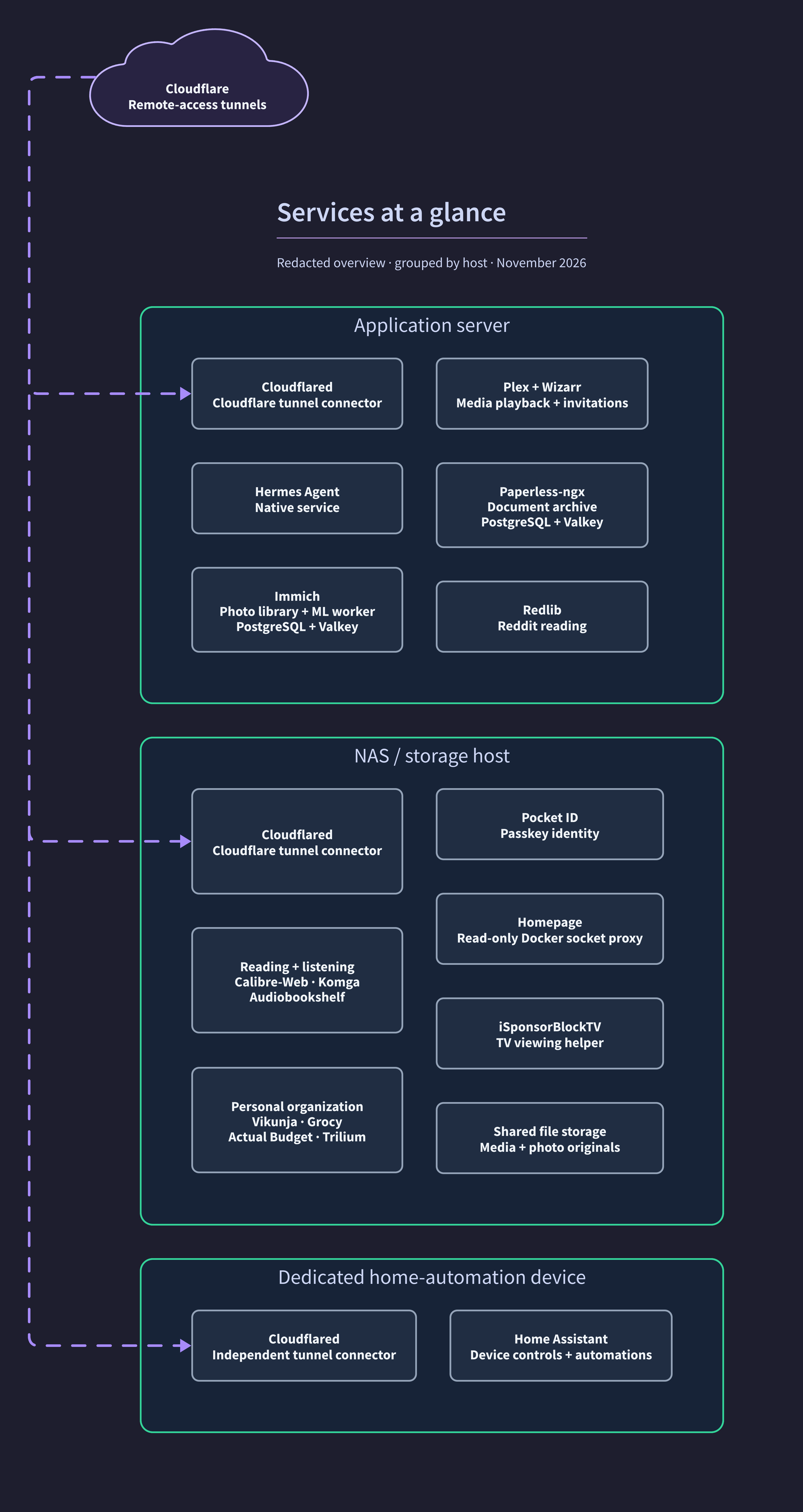
Here’s a redacted overview of where these services run. Background workers, databases, and caches are grouped with the applications they support.
I enjoy the technical work, but I want the result to earn its place in my life. A useful lab lets me find a photo, pick up a book, or capture a task with less friction. I’m happy to keep experimenting as long as the services give me something worth maintaining.
To see how I secured these services, read my first homelab article, “Building a homelab I can trust.”